Remote Work Productivity: Creating an Effective Home Office
Discover how to set up your home workspace and develop habits that maximize productivity while maintaining work-life boundaries.

Remote work has transformed from a temporary solution to a permanent reality for millions of professionals. While working from home offers flexibility and eliminates commute time, it also presents unique challenges that require intentional strategies to overcome.
The Remote Work Advantage
Working remotely provides several benefits when managed effectively:
Flexibility: You can often structure your day around your most productive hours rather than arbitrary office schedules.
Reduced commute: Eliminating travel time creates more hours for work, family, or personal activities.
Focused environment: Without office interruptions, many people find they can concentrate more deeply on complex tasks.
Cost savings: Less spending on transportation, work clothes, and meals out.
However, these advantages only materialize when you create the right conditions for success.
Designing Your Home Office
Your physical workspace significantly impacts your productivity and mental state. Even if you don't have a dedicated room, you can create an effective work area.
Essential Elements
Dedicated space: Designate a specific area for work, even if it's just a corner of a room. This helps your brain associate that space with focus and productivity.
Ergonomic setup: Invest in a quality chair that supports your posture. Position your monitor at eye level, approximately an arm's length away. Your keyboard should allow your elbows to rest at a 90-degree angle.
Adequate lighting: Natural light is ideal, but ensure you have sufficient artificial lighting to prevent eye strain. Position your monitor perpendicular to windows to reduce glare.
Minimal distractions: Keep your workspace clean and organized. Remove items that might tempt you to procrastinate.
Technology Requirements
Reliable technology is non-negotiable for remote work:
- Fast, stable internet: Consider upgrading your plan or using a wired connection for important calls
- Quality webcam and microphone: Essential for video meetings
- Noise-canceling headphones: Help with focus and improve call quality
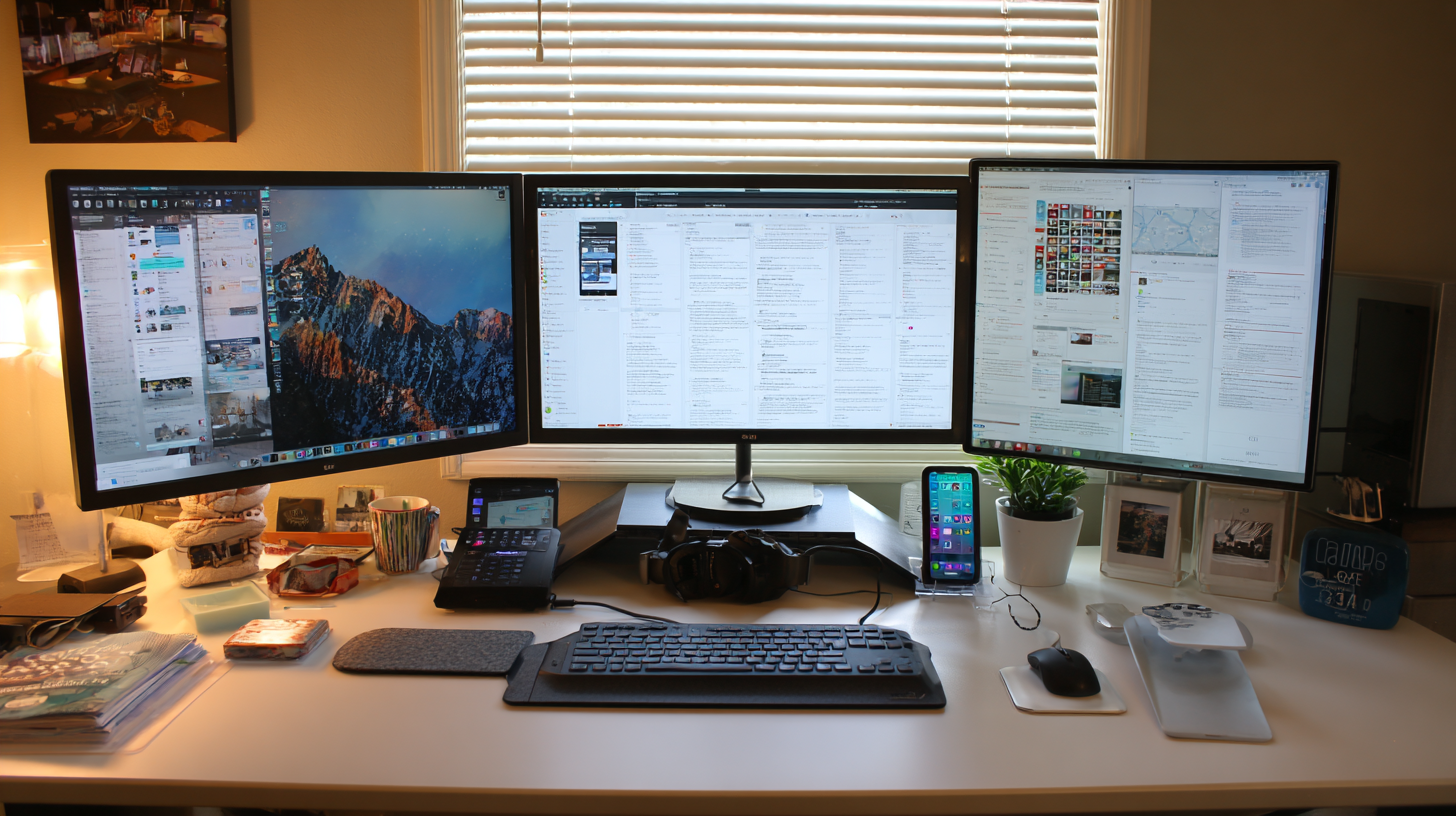
- Second monitor: Increases productivity for many tasks
Establishing Productive Routines
Without the structure of an office environment, you must create your own routines to maintain productivity.
Morning Routine
Start your day intentionally rather than rolling from bed to laptop:
- Wake at a consistent time
- Get ready as if you're going to an office
- Eat breakfast away from your desk
- Review your priorities for the day
- Begin work at a set time
This routine signals to your brain that the workday has begun and helps you feel more professional and focused.
Work Hours and Boundaries
Define your schedule: Set clear start and end times for your workday. Without boundaries, work can expand to fill all available hours.
Communicate availability: Let colleagues know your working hours and when you're available for meetings or calls.
Create transition rituals: Just as commuting provides a buffer between work and home, create your own transition. A short walk, changing clothes, or shutting down your computer completely can signal the end of the workday.
Managing Distractions
Home environments present distractions that don't exist in offices. Managing these requires awareness and strategy.
Household Distractions
Communicate with family: If others are home, establish ground rules about interruptions during work hours.
Handle chores strategically: It's tempting to throw in laundry or wash dishes during work hours. Schedule these for breaks or after work to avoid fragmented attention.
Manage pets: Create a comfortable space for pets away from your workspace, or schedule playtime during breaks.
Digital Distractions
Use website blockers: Apps can prevent access to social media and other time-wasting sites during work hours.
Control notifications: Turn off non-essential notifications on your phone and computer.
Schedule social media time: If you need to check platforms, designate specific times rather than allowing constant access.
Staying Connected and Visible
Remote work can lead to feelings of isolation and concerns about career visibility. Proactive communication addresses both issues.
Regular Communication
Over-communicate: In remote settings, it's better to share more than less. Keep your manager and team updated on your progress.
Use video when possible: Seeing faces builds stronger connections than audio-only calls.
Participate actively in meetings: Engage in discussions, ask questions, and offer ideas. Don't let yourself become a silent participant.
Building Relationships
Schedule virtual coffee chats: Regular informal conversations with colleagues maintain relationships.
Participate in team activities: Join virtual social events, even when they feel awkward.
Reach out proactively: Don't wait for others to contact you. Initiate conversations and check-ins.
Maintaining Physical and Mental Health
Remote work can be sedentary and isolating. Prioritizing health prevents burnout and maintains productivity.
Physical Health
Move regularly: Set reminders to stand and stretch every hour. Take short walks throughout the day.
Exercise: Schedule workouts as you would important meetings. The flexibility of remote work makes this easier to accomplish.
Mind your posture: Pay attention to how you're sitting. Poor posture leads to pain and fatigue.
Mental Health
Combat isolation: Make time for social interaction, whether virtual or in-person.
Take real breaks: Step away from screens completely during breaks. Eat lunch away from your desk.
Maintain hobbies and interests: Remote work can blur into personal time. Protect activities that bring you joy.
Recognize burnout signs: Exhaustion, cynicism, and reduced productivity signal that you need to make changes.
Productivity Techniques for Remote Work
Certain productivity methods work particularly well in remote settings:
Time Blocking
Reserve specific hours for different types of work. Schedule deep work during your peak energy hours and meetings during lower-energy periods.
Batch Processing
Group similar tasks together. Handle all emails at set times rather than responding immediately to each message.
Daily Planning
Spend the first few minutes of each day reviewing your priorities and creating a realistic plan.
Weekly Reviews
Assess your productivity weekly. What worked well? What needs adjustment? Continuous improvement keeps you effective.
Managing Meetings Effectively
Virtual meetings can consume entire days if not managed carefully.
Evaluate necessity: Does this need to be a meeting, or could it be an email or message?
Set agendas: Every meeting should have a clear purpose and agenda.
Keep meetings short: Default to 25 or 50-minute meetings instead of 30 or 60, creating buffer time.
Protect deep work time: Block calendar time for focused work and treat it as importantly as meetings.
Tools for Remote Success
The right tools make remote work smoother:
Communication: Slack, Microsoft Teams, or similar platforms for quick conversations
Video conferencing: Zoom, Google Meet, or Microsoft Teams for face-to-face interaction
Project management: Asana, Trello, Monday.com, or similar for tracking work
Document collaboration: Google Workspace or Microsoft 365 for shared documents
Time management: Calendar apps, time trackers, and focus tools
Making Remote Work Sustainable
Remote work is not a temporary arrangement to survive but a way of working to master. With intentional effort, you can build a remote work practice that supports both high performance and personal well-being.
The key is treating remote work as seriously as you would office work—investing in your space, maintaining professional habits, and continuously improving your approach. Those who thrive remotely are those who take ownership of their environment and routines rather than letting circumstances dictate their experience.
Tags
Written by
Taylor Chen
A contributing writer at InsightWireDaily. Our team is dedicated to providing well-researched, accurate, and helpful content to our readers.
Learn more about our teamRelated Articles

Effective Time Management Strategies for Busy Professionals
Learn practical time management techniques that help you accomplish more while reducing stress and improving work-life balance.
Digital Decluttering: Organize Your Digital Life for Better Focus
A comprehensive guide to organizing your files, emails, and digital spaces to reduce overwhelm and improve daily productivity.

Goal Setting Frameworks That Actually Work
Explore proven goal-setting methods that help you define meaningful objectives and create actionable plans to achieve them.